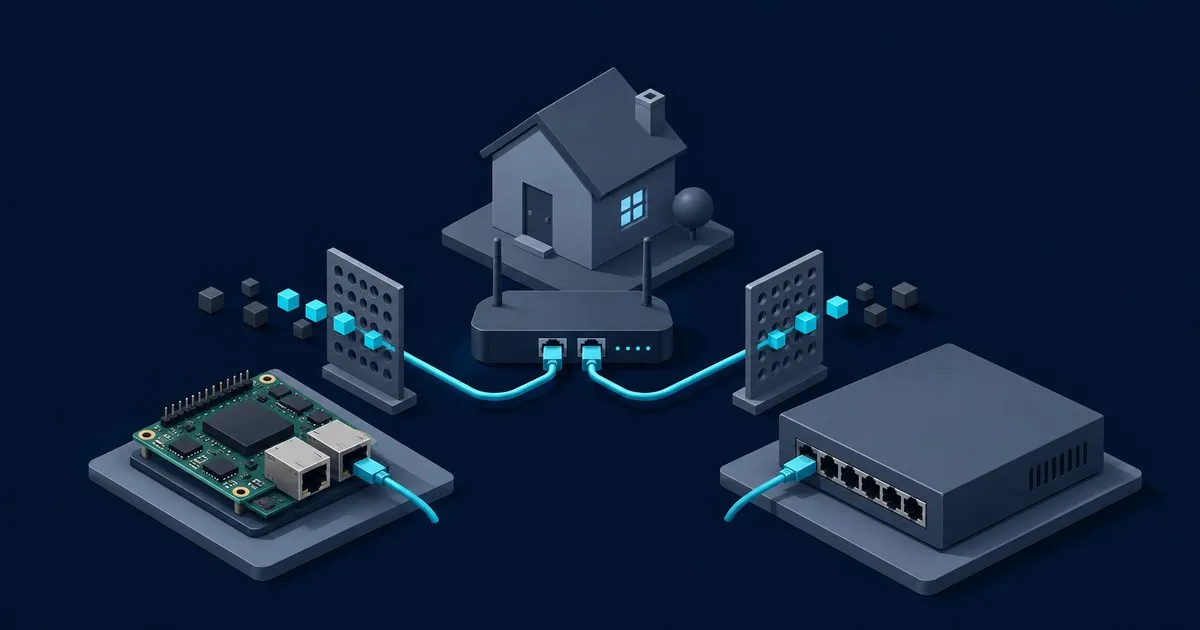
The Pi-hole vs pfSense pfBlockerNG decision here is whether to keep DNS filtering on a separate Pi-hole host. Choose Pi-hole when you want client groups and DNS administration that can stay in place through a router change. If you already operate pfSense and want filtering on that appliance, pfBlockerNG combines DNSBL with IPv4/IPv6 lists, as documented in Netgate’s package list.
This guide covers the Pi-hole side of that choice and how to keep its role clear when both services exist. For package installation, feeds and DNSBL configuration, use pfSenseLab’s pfBlockerNG setup on pfSense.
What changes when you choose a separate Pi-hole host?
Pi-hole’s project README describes a network DNS filter. It does not become the router through which all client traffic passes. That distinction determines what a separate deployment buys you and which responsibilities remain on pfSense.
| Decision | Separate Pi-hole | pfBlockerNG on pfSense |
|---|---|---|
| Where DNS policy lives | Linux host or container | Firewall package and DNS resolver |
| Device-specific Pi-hole lists | Client groups and assigned lists | Pi-hole group settings do not transfer |
| Blocking independent of DNS | Requires firewall policy elsewhere | IP aliases can be used by firewall rules |
| Software maintenance | Pi-hole and its host | pfSense and its packages |
| Changing routers | Keep Pi-hole; update client DNS advertisements and access rules | Plan for the package’s dependence on pfSense |
Both projects are open source; the pfBlockerNG manifest documents the package licence. A separate host still has an operating-system maintenance cost. Follow Pi-hole’s update instructions and the pfSense Package Manager documentation for their respective update paths. Refreshing domain lists is separate from upgrading software.
Pi-hole client groups are the main reason to keep it
Pi-hole wins on focused DNS administration. Its client groups can apply different lists and exceptions to different devices. That suits an IoT segment needing stricter filtering than work laptops. Watch the Default group: newly added clients inherit it, and group memberships affect which lists apply. The official examples demonstrate both blocking and allowlisting.
The trade-off is another service to maintain. Pi-hole also cannot enforce IP firewall policy: a device that never asks it for DNS gives it nothing to filter.
An allowed Pi-hole answer does not override an IP deny on pfSense. Netgate documents alias-only operation, which keeps those IP lists available for firewall rules. If a domain resolves correctly but a connection fails, check that independent firewall policy before changing Pi-hole’s lists.
Neither DNS filter can selectively remove an ad delivered from the same hostname as wanted content. YouTube is the recurring example in Pi-hole’s explanation of domain versus URL filtering. Increasing list size does not change that boundary.
For the broader filtering boundary, read what a Pi-hole DNS sinkhole can and cannot block.
Can you run Pi-hole DNS with pfBlockerNG IP lists?
Yes. The recommendation here is Pi-hole for DNS policy and pfBlockerNG for IP lists, with DNSBL disabled.
Have clients query Pi-hole directly. Its resolver guide explains forwarding to an upstream resolver. If that upstream is pfSense Unbound, upstream query logs identify Pi-hole; Pi-hole retains the client view. Do not forward the same queries back to Pi-hole: that creates a loop.
Chaining both DNS filters means an allowlist entry in Pi-hole may still encounter an upstream DNSBL block. Use both only when you can explain the additional policy. Advertise only filtering resolvers to clients; a public secondary resolver introduces an unfiltered path.
Preserve Pi-hole client visibility across VLANs
Have each client use Pi-hole’s address directly when individual client policies matter. If another resolver forwards every query on their behalf, Pi-hole sees that forwarder’s address rather than the original client’s address. Confirm the client column before assigning rules to individual devices.
Routed clients require suitable Pi-hole interface settings: the default local-only setting excludes subnets without a local server interface. Restrict accepted sources with firewalls and keep DNS unreachable from WAN. A separate DNS host does not remove the need to permit traffic from the intended VLANs or review IPv6 resolver advertisements.
Decide with one Pi-hole client before changing the network
Start by recording the current resolver addresses and upstream path. Check Pi-hole hardware requirements before selecting a separate host, then use the Raspberry Pi setup guide for the installation sequence. A VM or container is also a documented Pi-hole deployment option.
Point one client at the proposed Pi-hole instance and confirm these outcomes before changing network-wide DNS advertisements:
- Its lookups appear under the expected client in Pi-hole.
- An assigned deny rule returns the configured blocked response; removing a temporary rule restores the intended resolution.
- Required sites resolve through Pi-hole’s upstream without a forwarding loop.
- The client receives the intended policy on each network it will use, including any IPv6 resolver path.
If a query is absent from Pi-hole, use the Pi-hole not blocking ads diagnostic to check the client’s DNS path. If Pi-hole permits the query but a connection fails, inspect the upstream resolver and firewall separately. Avoid changing both filters at once: it makes the cause of a changed result harder to identify.
After verifying the single client, apply the intended client DNS settings more broadly and retain the previous configuration for rollback. Plan how DNS will work during Pi-hole host updates. Keeping Pi-hole separate from pfSense provides a separate maintenance boundary, but a lone Pi-hole remains a DNS availability dependency.
When keeping Pi-hole makes sense
Keep Pi-hole if its client groups, separate host and router independence serve your network. Prefer the integrated pfSense package if avoiding another service matters more. Use both when Pi-hole owns DNS filtering and pfBlockerNG has a clearly defined IP-policy role. More filters do not remove the shared limits of domain blocking.


